
The Exit Readiness Assessment is one of the most powerful tools in Optionality — a structured, AI-guided evaluation that helps you understand exactly how prepared your business and its owner are for a successful exit. Whether you are actively planning a sale or simply want to build a stronger, more valuable company, this assessment gives you clarity and a clear path forward.
What is Exit Readiness?
Exit Readiness is a structured assessment that evaluates both the business and the owner across the dimensions that buyers, lenders, and investors scrutinize most carefully. It is not just for business owners who are planning to sell tomorrow — it is valuable for anyone who wants to understand where value is leaking and what steps will have the greatest impact.
In approximately 60 minutes, you will walk away knowing:
- Where your business is strong — and where value is leaking
- Gaps that could reduce your valuation, bankability, or buyer confidence
- Clear, actionable steps to improve value, reduce risk, and expand your options
- A Readiness Score reflecting both owner and business preparedness
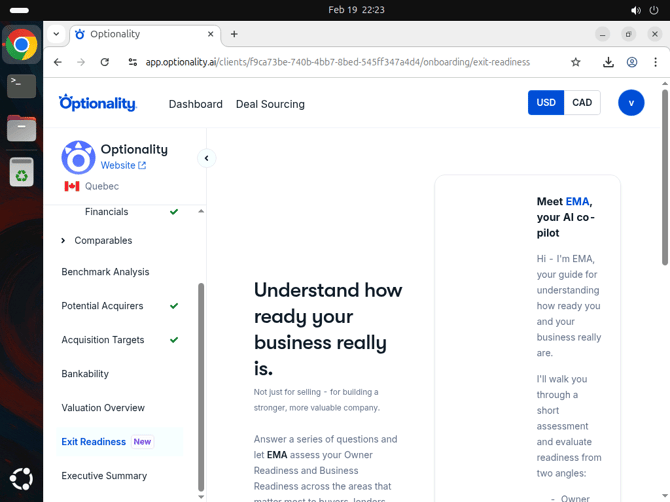
The Exit Readiness landing page — EMA introduces the assessment and explains what to expect before you begin.
Meet EMA, Your AI Co-Pilot
Throughout the assessment, you will be guided by EMA, Optionality’s AI co-pilot. EMA appears alongside each question to:
- Provide context for why the question matters to buyers and lenders
- Explain how your answer impacts your overall readiness score
- Offer real-time guidance and insights tailored to your specific situation
Think of EMA as a knowledgeable advisor in your corner — available at every step of the assessment to help you think through your answers carefully and understand their implications.
How to Access Exit Readiness
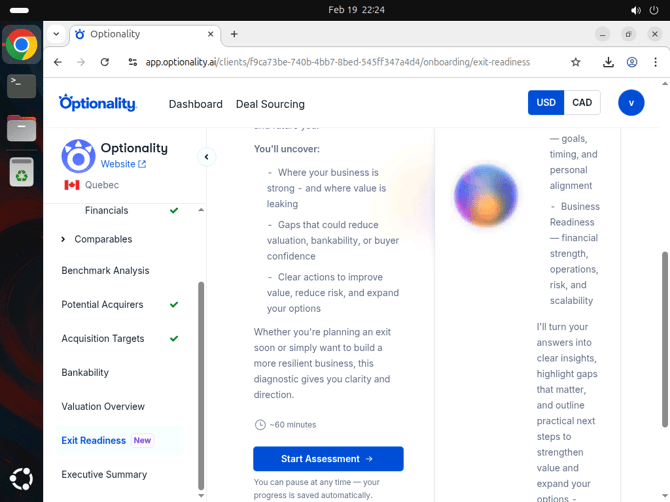
The Exit Readiness overview page — click Start Assessment to begin the guided evaluation with EMA.
Assessment Structure
The Exit Readiness assessment is organized into three sections, shown as a progress trail at the top of the assessment page. Together they cover the full picture of exit readiness:
1. 💰 Financials
Reviews your company’s financial data already captured in your Optionality profile, including:
- Revenue consistency and growth trajectory
- Profitability and EBITDA margins
- Cash flow quality and predictability
- Financial documentation and reporting standards
2. 👤 Owner Readiness
Evaluates your personal preparedness for an exit across three key dimensions:
- Mental — How tied is your identity to the business? Are you emotionally ready for a transition?
- Goals & Timing — What are your personal goals, timeline, and life plans after exit?
- Personal Alignment — How aligned are your personal values and expectations with the exit process?
3. 🏢 Business Readiness
Assesses how attractive and resilient your business looks to buyers and lenders across four areas:
- Financial Strength — Revenue consistency, profitability, and overall financial health
- Operations — How well the business runs without you — systems, processes, and team independence
- Risk — Customer concentration, key person dependencies, and other vulnerabilities
- Scalability — Growth potential, market positioning, and competitive moat
Taking the Assessment
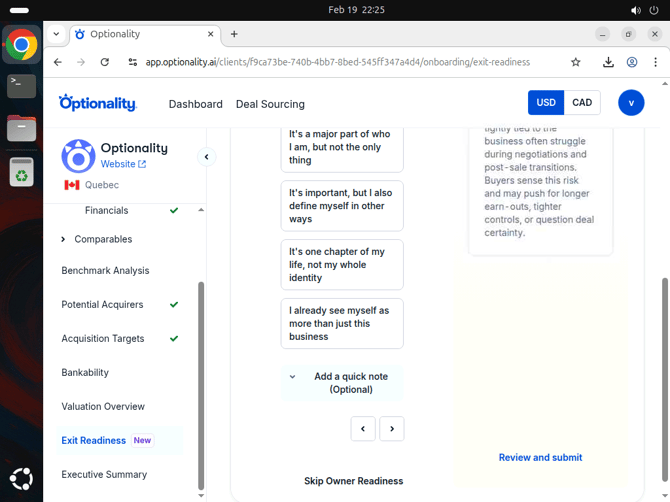
The assessment in progress — EMA’s AI co-pilot panel appears on the right, providing contextual insights and guidance for each question.
For each question in the assessment:
- Read the question and the available answer options carefully.
- Review EMA’s guidance panel on the right side for context on why this question matters and what buyers look for.
- Select the answer that best reflects your current situation — be honest for the most useful score.
- Optionally, click Add a quick note below the question to document specifics, flag items for follow-up, or add context for yourself or your advisor.
- Use the ← → navigation arrows to move between questions.
Saving Your Progress
Your progress is saved automatically as you go. You can pause the assessment at any time — close the browser, navigate away, or take a break — and return to exactly where you left off. Just navigate back to Exit Readiness from the company profile sidebar to resume.
The full assessment takes approximately 60 minutes to complete. Most users prefer to complete it in two or three focused sessions.
Reviewing and Submitting
Once you have answered your questions, click Review and Submit (available on the right side of the assessment page) to finalize your assessment and generate your Exit Readiness results.
Your results will include:
- A Readiness Score reflecting both your Owner and Business readiness
- Highlighted gaps and risks that matter most to buyers and lenders
- Practical next steps to strengthen your value and expand your options
- EMA’s key insights and strategic recommendations tailored to your specific responses
Frequently Asked Questions
How long does the assessment take?
The full assessment takes approximately 60 minutes. You can complete it in multiple sessions — your progress is always saved automatically.
Do I need to answer every question?
No. You can skip individual sections if they do not apply. However, the more questions you answer, the more accurate and useful your Readiness Score will be.
Can I change my answers?
Yes. Use the back arrow (←) to navigate to previous questions and update your answers before submitting.
What happens after I submit?
You will receive a detailed breakdown of your Exit Readiness, including your score, key insights from EMA, and recommended actions tailored to your specific situation.
Is this only useful if I’m planning to sell soon?
Not at all. The Exit Readiness assessment is valuable for any business owner who wants to understand their company’s true strengths and weaknesses — even if an exit is years away. Many users complete it annually to track improvement over time.
How does this connect to the rest of Optionality?
The Exit Readiness results feed into your Executive Summary, giving you a complete picture of company value and readiness in one exportable report. The assessment also cross-references your financial data already in the platform.
Need help? Contact our support team or chat with EMA directly within the app.